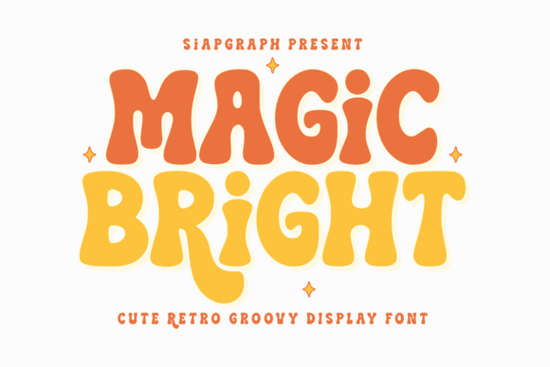
If you’ve been searching for a display font that feels fun, nostalgic, and just a little bit groovy, Magic Bright Font might be exactly what your next project needs. It’s got those bold, wavy letterforms that nod to the 70s without feeling outdated more like a cheerful throwback than a museum piece. Whether you’re designing stickers for summer festivals or custom mugs for birthday parties, this font brings energy and clarity in equal measure.
What makes it especially handy is how well it plays with crafting tools. If you cut vinyl, sublimate designs, or print digitally, you’ll appreciate how cleanly the characters hold up no weird gaps, no thin lines that vanish during production. That’s not always guaranteed with stylized fonts, but Magic Bright Font was built with makers in mind.
What kinds of projects does this font work best for?
You don’t need to be running a full-time Etsy shop to get value from this one. Here’s where it really shines:
- SVG cut files – The thick strokes and open counters make it ideal for layering and cutting without losing detail.
- Apparel & accessories – Think retro band tees, tote bags with cheeky slogans, or kids’ birthday party hats.
- Vinyl stickers & decals – Bold enough to read from across the room, playful enough to stick on laptops or water bottles.
- Event branding – Summer BBQ invites, music festival posters, end-of-school-year celebrations.
- Social media graphics – Adds instant personality to Instagram stories or Pinterest pins without needing extra embellishments.
It also pairs surprisingly well with simpler sans-serifs if you need contrast try using Magic Bright for headlines and something clean like Helvetica or Montserrat for body text. And if you like this vibe but want to explore similar styles, check out groovy-style display fonts or even cartoon distress fonts for a grittier, hand-drawn feel.
Is this font beginner-friendly for crafters?
Absolutely. One of the biggest frustrations when starting out with design software or cutting machines is choosing fonts that look great on screen but fall apart during production. Magic Bright avoids that by keeping its shapes substantial and its spacing generous. You won’t need to manually thicken letters or fix overlaps before sending your file to the cutter.
Even better? Most major design platforms (like Silhouette Studio, Cricut Design Space, Canva, and Adobe Illustrator) handle it without hiccups. Just install it like any other OTF or TTF file, and you’re ready to go. No plugins, no workarounds.
How does it compare to other retro-inspired fonts?
There’s no shortage of 70s-inspired typefaces out there, but many lean too hard into distortion or uneven weights, which can make them tricky to scale or pair. Magic Bright strikes a balance it’s stylized, sure, but still legible at small sizes and consistent across all characters.
If you’ve tried fonts like bold limited distressed fonts and found them too rough around the edges, this one offers a smoother alternative. Or if you usually go for cartoon doodle fonts but want something with more structure, Magic Bright gives you bounce without chaos.
And for those who love vintage charm but worry about looking dated? Pair it with modern layouts or minimalist color palettes. A neon pink “SUMMER VIBES” headline over a white background with crisp black body text? Instant refresh.
When should I use this font seasonally?
While it works year-round, it’s especially strong during high-energy, casual occasions:
- Summer break – Pool parties, beach days, road trip merch.
- Birthdays – Especially for kids or anyone who loves confetti and disco balls.
- Music festivals – Feels right at home next to tie-dye and glitter.
- End-of-year parties – New Year’s Eve countdowns, holiday bashes, graduation send-offs.
It’s not the font for corporate reports or wedding invitations (unless it’s a disco-themed wedding then go for it). But for anything meant to spark joy, laughter, or nostalgia? Spot on.
Looking for something with a similar mood but different texture? Try browsing dusty classic display fonts they bring warmth without the bounce, which can be a nice counterpoint.
Quick checklist before you start designing:
- ✅ Install the font in your system or design app first.
- ✅ Test print or preview at actual size especially if cutting vinyl.
- ✅ Pair with simple fonts for contrast if needed.
- ✅ Use sparingly one headline or focal word is often enough to set the tone.
- ✅ Save your source file with outlines converted if sharing with clients or printers.
Start small. Try it on a single sticker or social graphic before committing to a full product line. Sometimes the most joyful designs come from experimenting not overthinking.
Get Started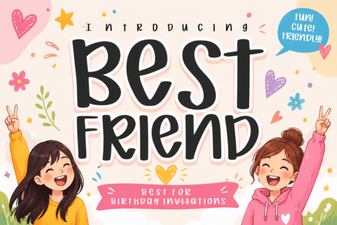 Best Friend Fonts for Creative Design Projects
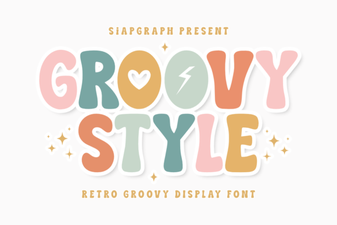 Free Groovy Fonts for Creative Projects
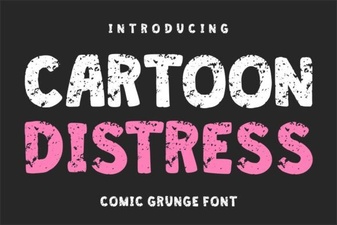 Creative Cartoon Distress Fonts for Dynamic Designs
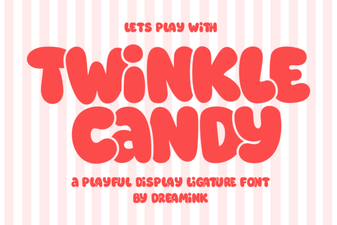 Twinkle Candy Font for Sweet Design Projects
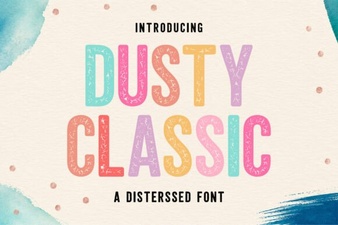 Classic Font Styles for Creative Projects
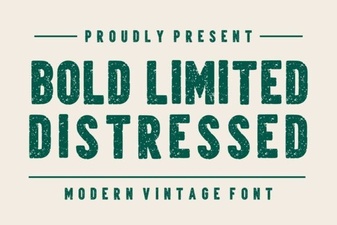 Bold Distressed Fonts for Your Creative Projects