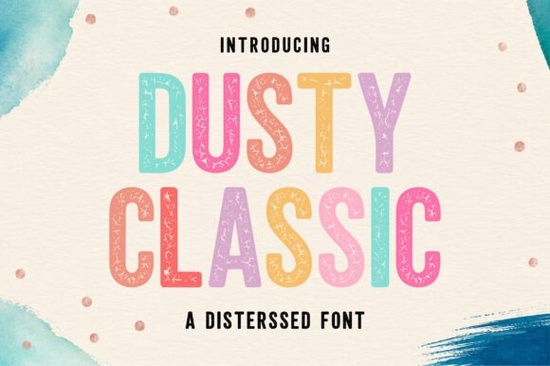
If you’ve been searching for a display font that feels handmade but still reads clearly, Dusty Classic Font might be exactly what your next project needs. It’s got that slightly worn-in look like something you’d find on an old diner sign or a hand-printed birthday card but without sacrificing legibility. The tall, clean letterforms keep things neat, while the subtle texture adds warmth and character. Whether you’re designing merch, branding materials, or kids’ party invites, this font brings a friendly retro vibe that doesn’t feel overdone.
What makes Dusty Classic stand out is how well it balances personality with practicality. You can slap it on a t-shirt design or use it in a social media graphic, and it still holds up. That’s not always easy with distressed fonts some get so textured they become hard to read at small sizes. But here, the weathering is light enough to feel intentional, not chaotic. It’s one of those fonts that looks better the more you use it across different surfaces and contexts.
What kinds of projects work best with Dusty Classic?
This font was built for creatives who want charm without clutter. Here’s where it really shines:
- Branding & packaging – Think coffee bags, boutique labels, or artisan soap wraps. The vintage texture gives products a “small batch” feel.
- Print-on-demand items – T-shirts, mugs, tote bags. The font scales well and holds its shape even when printed on fabric or curved surfaces.
- Kids’ crafts and party decor – Birthday banners, coloring pages, classroom posters. The playful simplicity keeps it age-appropriate without being childish.
- Social media & digital ads – Especially if you’re going for a cozy, handmade aesthetic. Pair it with soft pastels or warm neutrals for maximum effect.
It also layers nicely with other display fonts. Try pairing it with Bold Limited for contrast one for headlines, the other for subheads. Or go full retro with Groovy Style if you’re doing something 70s-inspired. Even Twinkle Candy works as a fun companion for whimsical projects. And if you need something more cartoonish, Cartoon Distress adds bounce without clashing.
Is this font easy to install and use?
Yes. Like most Creative Fabrica fonts, you’ll get OTF, TTF, and WOFF files so whether you’re using Canva, Adobe Illustrator, Silhouette Studio, or Cricut Design Space, it’ll slot right in. No special software needed. Just unzip, install, and start typing. If you’ve never installed a custom font before, there are plenty of quick tutorials online usually under five minutes to set up.
One thing worth noting: because of the subtle distressing, avoid shrinking it too small. Below 18pt in print or 24px on screen, some of the texture details start to blur together. For body text? Not ideal. But for titles, logos, headers, and featured quotes? Perfect.
How does it compare to other distressed fonts?
A lot of distressed fonts go heavy on the grunge ink splatters, deep cracks, uneven edges. Dusty Classic skips that. Instead, it uses gentle wear think sun-faded paint or lightly handled paper to create depth. That makes it more versatile. You can use it in professional contexts (like boutique branding) and still feel authentic, not gimmicky.
If you like this style but want to explore similar options, check out Dusty Classic Font directly on Creative Fabrica. They often bundle it with coordinating graphics or offer seasonal discounts, especially around holidays when crafters are busiest.
Any tips for getting the most out of this font?
A few little tricks designers swear by:
- Add a tiny stroke or shadow just 1-2px to make it pop off busy backgrounds.
- Use all caps sparingly. The lowercase letters have more personality. Mix case for visual rhythm.
- Pair with simple sans-serifs. Let Dusty Classic be the star. Clean fonts like Montserrat or Lato in the background keep things balanced.
- Try layering textures. Place the text over grainy paper scans or faded watercolor washes to enhance the handmade effect.
And don’t forget: licensing includes commercial use. So whether you’re selling stickers on Etsy or designing client logos, you’re covered. Always double-check the license terms after purchase, but Creative Fabrica’s standard commercial license is pretty generous for small businesses and indie creators.
Quick checklist before you start:
- Download and install OTF/TTF files
- Test readability at your intended size
- Pair with a clean secondary font
- Check your commercial license scope
- Save a styled version as a graphic for reuse
Start small maybe a quote graphic or a product mockup and see how it feels. Sometimes the best fonts reveal their magic only after you’ve used them a few times.
Learn More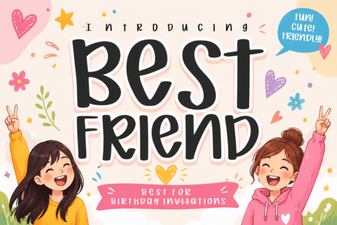 Best Friend Fonts for Creative Design Projects
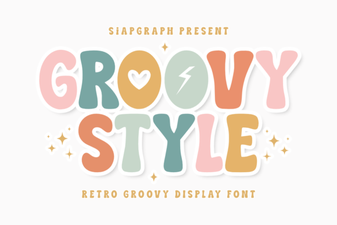 Free Groovy Fonts for Creative Projects
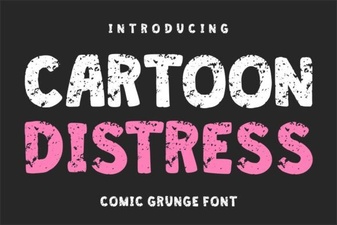 Creative Cartoon Distress Fonts for Dynamic Designs
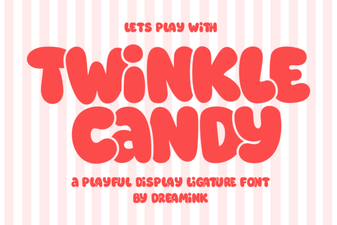 Twinkle Candy Font for Sweet Design Projects
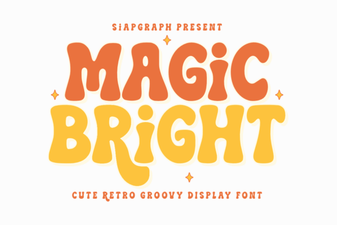 Magic Bright Font: Enhancing User Creativity in Digital Design
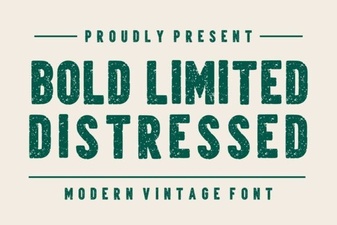 Bold Distressed Fonts for Your Creative Projects