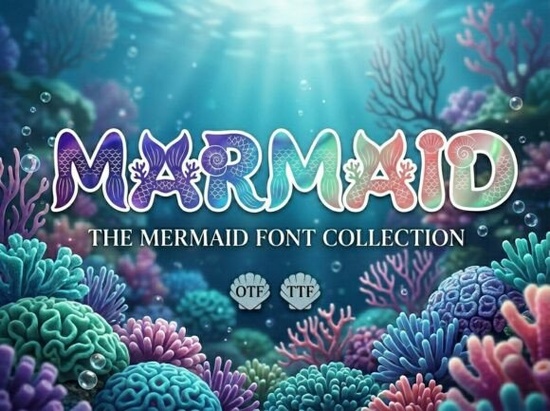
If you’ve ever wanted your designs to shimmer with ocean magic, Marmaid Font is worth a closer look. It’s not your average typeface this one blends bold letterforms with delicate aquatic silhouettes and fish-scale textures that catch the eye without overwhelming it. Whether you’re designing a children’s party invite, branding a boutique gift shop near the coast, or crafting fantasy book covers, Marmaid brings a touch of underwater wonder that feels both playful and polished.
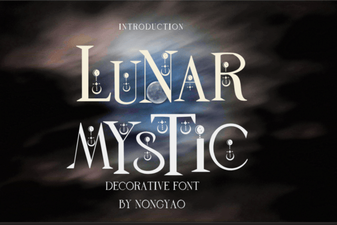
What makes it stand out? Each capital letter is shaped like a sturdy block, but masked with subtle iridescent gradients and embedded with tiny sea motifs think mermaid tails curling around an “M,” coral branches growing from the curves of a “C,” or nautilus shells tucked into negative space. The effect is decorative without being chaotic, which is rare in fonts this detailed. If you liked the dreamy vibe of Lunar Mystic, you’ll find Marmaid offers a similar sense of storytelling, just with saltwater instead of starlight.
Who should use Marmaid Font?
This font isn’t meant for body text or minimalist logos. It’s a display font built for moments when you want to make a visual splash. Here’s who benefits most:
- Print-on-demand sellers creating beach-themed mugs, tote bags, or kids’ apparel.
- Small business owners running seaside boutiques, aquarium cafes, or mermaid-themed birthday parties.
- Indie authors and illustrators working on fantasy picture books or chapter book covers.
- Crafters making custom vinyl decals, scrapbook layouts, or party banners.
- Social media designers looking for scroll-stopping headlines for Instagram or Pinterest.
It pairs especially well with clean sans-serifs or handwritten scripts. Try placing it over soft watercolor backgrounds or sandy beige tones the contrast lets the details shine without competing.
How does it compare to other decorative fonts?
Decorative doesn’t always mean usable. Some fonts pile on so much detail they become illegible at small sizes or clash with other design elements. Marmaid avoids that by keeping its structure solid even with all the embellishments, each letter remains readable. Compare it to something like Felon, which leans into grunge and grit. Marmaid is softer, more whimsical, and intentionally aquatic. It also scales better than many ornamental fonts; you can go as small as 36pt for print and still see the coral and scale details clearly.
If you’ve browsed Creative Fabrica’s collection before, you might also enjoy Marmaid alongside other storybook-style fonts it slots right in next to fairy tale and ocean adventure themes.
What file formats come with the download?
You’ll get OTF, TTF, and WOFF files so whether you’re using Adobe Illustrator, Canva, Silhouette Studio, or WordPress, installation is straightforward. No special software needed. The license covers personal and commercial use, including POD platforms like Etsy, Redbubble, and Zazzle. Always double-check the current license terms on the product page, but historically, Creative Fabrica’s Standard Commercial License has been generous for small creators.
Any tips for getting the most out of this font?
- Use sparingly. One word or short phrase often works better than full sentences.
- Pair with simple supporting fonts. Let Marmaid be the star choose clean companions like Montserrat or Lato.
- Adjust letter spacing slightly. Depending on your layout, loosening kerning by 10–20 units can help the sea motifs breathe.
- Try it in duotone or gradient overlays. The built-in shimmer plays nicely with color effects in Photoshop or Procreate.
And if you’re curious how others are using it, check out real examples on Marmaid Font seeing it in mockups helps gauge how it might work for your own project.
Is it beginner-friendly?
Yes as long as you’re comfortable installing fonts (which takes about 30 seconds on most systems). There’s no complicated layering or clipping masks required to see the full effect. What you type is what you get: instant undersea charm. Even if you’re new to design software, typing “MERMAID PARTY” in Marmaid will give you something ready to print or post.
One thing to note: because of the detailed vector art inside each glyph, avoid rasterizing at low resolutions. For digital use, keep exports above 150 DPI. For print, 300 DPI is ideal.
Quick checklist before you start:
- ✅ Install OTF or TTF file through your system font manager.
- ✅ Open your favorite design app yes, even Canva supports custom fonts now.
- ✅ Type in ALL CAPS lowercase isn’t included, and that’s intentional.
- ✅ Add a drop shadow or outer glow if placing over busy backgrounds.
- ✅ Save your work early you’ll likely tweak sizing and spacing once you see how the sea creatures flow between letters.
Start small try it on a greeting card or Instagram Story first. Once you see how naturally it brings ocean themes to life, you’ll find excuses to use it everywhere.
Learn More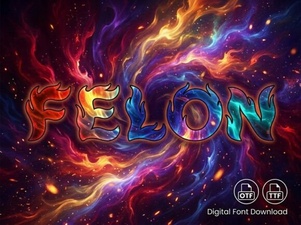 Felon Font: Creative Design Ideas
 Lunar Mystic Font: Design for Cosmic Creativity
 Best Friend Fonts for Creative Design Projects
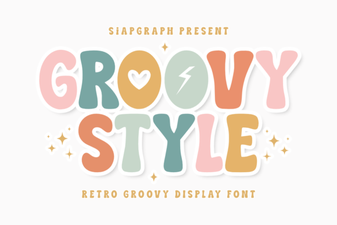 Free Groovy Fonts for Creative Projects
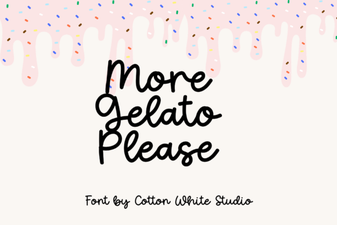 More Gelato Please Font Inspiration & Projects
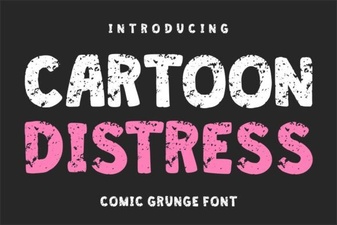 Creative Cartoon Distress Fonts for Dynamic Designs