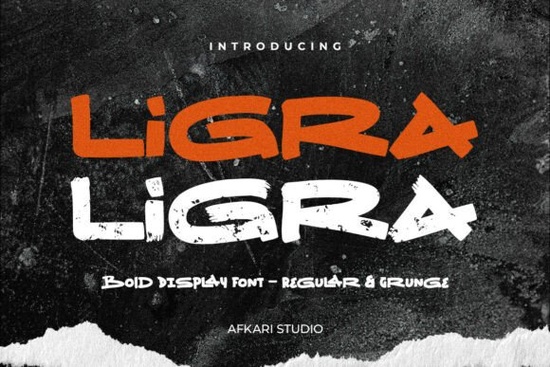
If you’ve been searching for a display font that carries weight without sacrificing style, Ligra Font might be exactly what your next project needs. It’s built for designers and creators who want their text to stand out whether it’s slapped across a t-shirt, printed on packaging, or layered into a social media graphic. The kind of font that doesn’t whisper it shouts, but with intention.
What makes Ligra different is how it balances boldness with personality. You get two versions in one package: the clean, modern Regular, and the gritty, textured Grunge. That means you’re not locked into one aesthetic. Need something sleek for a product launch? Go Regular. Want that worn-in, streetwear vibe for merch or posters? Switch to Grunge. It’s rare to find this much flexibility in a single typeface, especially one that performs this well at large sizes.
Who actually benefits from using Ligra?
If you run a small business or side hustle selling print-on-demand items think mugs, hoodies, or stickers Ligra gives your designs instant presence. The letterforms are thick and clear, so they hold up even when scaled down or printed on textured materials. Crafters making SVG files or digital planners will appreciate how readable it stays, even with all its visual punch.
And if you’re just someone who likes making things birthday posters, YouTube thumbnails, Instagram quotes Ligra doesn’t require fancy software. Install it once, and it works everywhere: Photoshop, Illustrator, Canva, even Microsoft Word. No plugins, no extra steps.
What’s included in the download?
- Two styles: Regular + Grunge (each with OTF, TTF, WOFF, WOFF2 formats)
- Full character set: uppercase, lowercase, numbers, punctuation
- Special alternates and ligatures for added customization
- Multilingual support: covers accented characters like ä, ö, ü, ß, and more
- PC & Mac compatible simple drag-and-drop install
The Grunge version isn’t just a filter slapped on top the distressed texture is baked into the glyphs, giving each letter natural variation. That’s huge if you’re trying to avoid that “over-Photoshopped” look. Pair it with something playful like Twinkle Candy for contrast, or go full edge with Bold Limited if you’re stacking fonts.
Where does Ligra work best?
This isn’t a paragraph font. Don’t use it for body copy. But for anything meant to grab attention? Perfect. Here’s where it shines:
- Branding logos, labels, shop headers
- Merchandise t-shirts, caps, tote bags
- Social media quote graphics, story overlays, Reels text
- Posters & flyers concerts, sales, events
- Packaging coffee bags, snack boxes, cosmetic jars
It also plays nicely with other display fonts. Try layering it behind something softer like Vanilla Cream for contrast, or pair it with Groovy Style if you’re going for retro energy. The key is letting Ligra lead it’s meant to be the star, not the supporting actor.
Any hidden tricks or tips?
Yes. Open your font software (Glyphs panel in Illustrator or Character Map on Windows) and hunt for the alternates. Ligra includes subtle variations on certain letters perfect for breaking repetition in logos or headlines. Also, don’t be afraid to kern tightly. The bold strokes handle close spacing well, which helps create that “locked-in” poster look.
If you’re working digitally, try dropping a shadow or outline behind the Grunge version. It adds depth without competing with the texture. And if you’re printing, test both versions on your material first sometimes the Grunge pops better on matte finishes, while Regular looks sharper on glossy.
For reference, you can see more about the font directly on Creative Fabrica: Ligra Font.
Is it worth adding to your toolkit?
If you regularly design anything meant to be seen from across the room yes. It’s not a niche font. It’s a workhorse with attitude. And because you get both clean and distressed styles, it stretches further than most display fonts in its class. Even if you only use one version now, having the other ready for future projects is a bonus.
Compare it to something like Twinkle Candy totally different vibe, but same principle: pick fonts that give you options. Ligra does that without overcomplicating things.
Next step: Download Ligra, install both styles, and test them in a real project even if it’s just a mockup. See how the Grunge version reacts at 200pt versus the Regular at 150pt. Play with color fills, try white-on-black, then reverse it. The font reveals its strengths when you push it visually. Once you’ve done that, you’ll know exactly when and where to reach for it next time.
Try It Free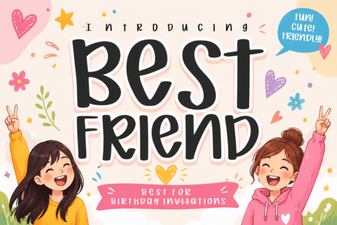 Best Friend Fonts for Creative Design Projects
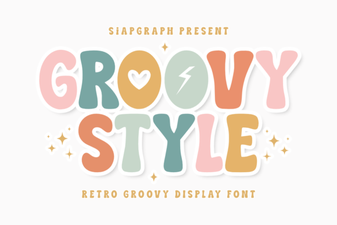 Free Groovy Fonts for Creative Projects
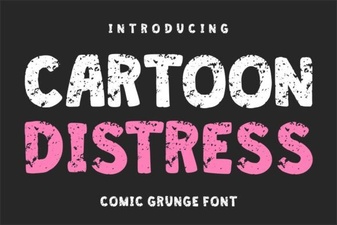 Creative Cartoon Distress Fonts for Dynamic Designs
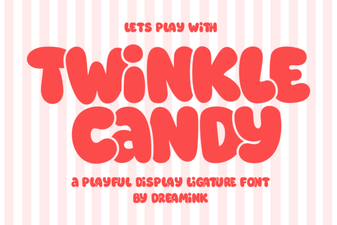 Twinkle Candy Font for Sweet Design Projects
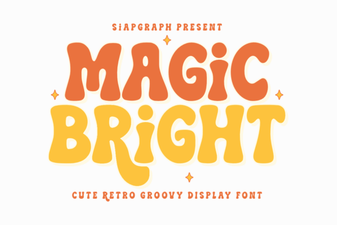 Magic Bright Font: Enhancing User Creativity in Digital Design
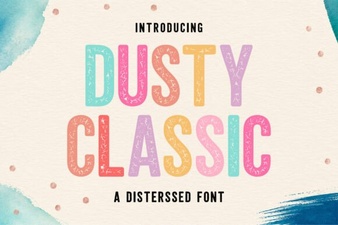 Classic Font Styles for Creative Projects